
Overview
Claims that do not meet eligibility requirements can be rejected.
How to Reject a Claim
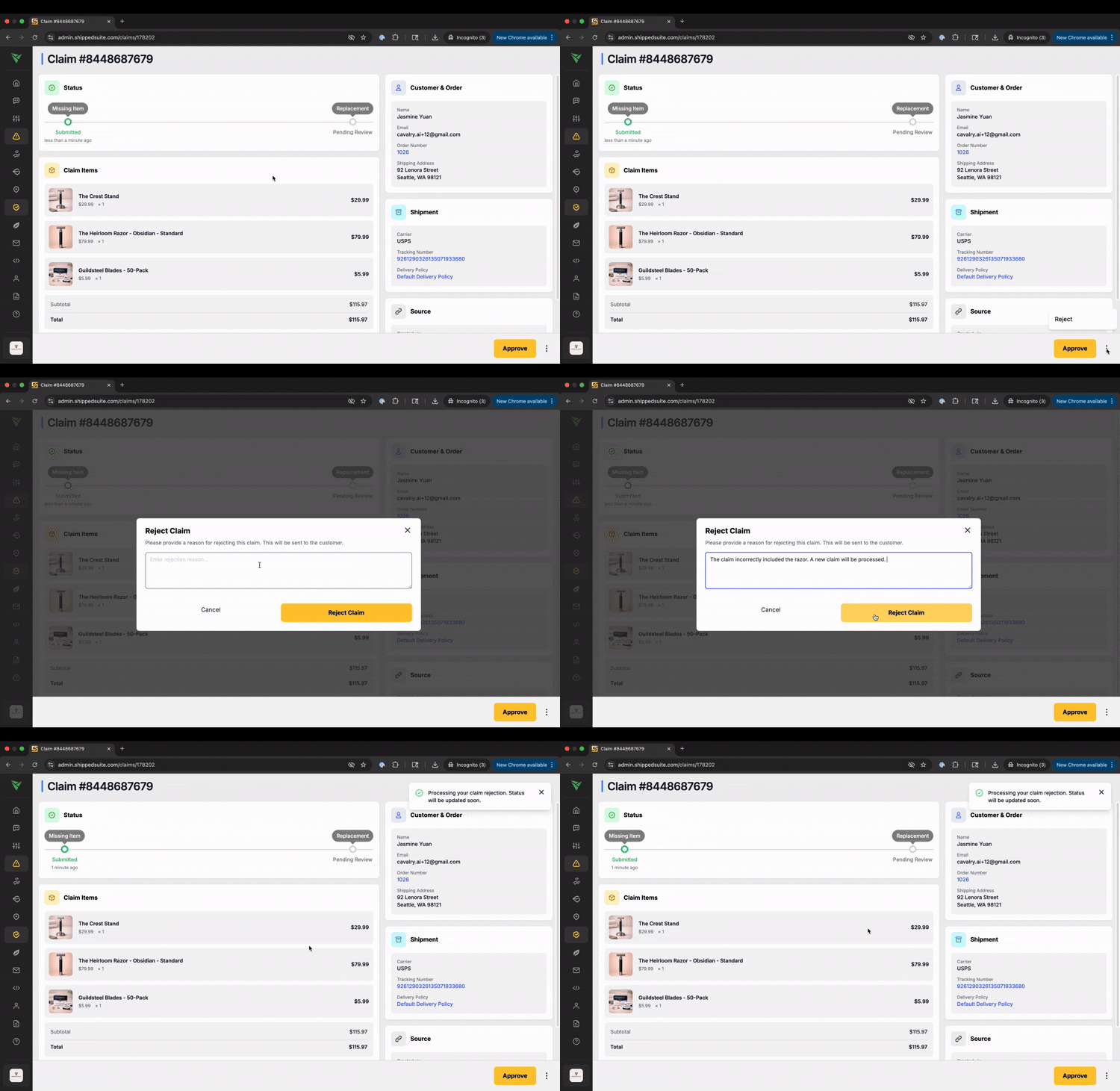
Open the claim
Review the claim details
Click Reject
Add a Rejection Reason
You will be prompted to enter a rejection reason, which will be sent to the customer.
The message should clearly explain why the claim was denied.
Examples include:
Shipment tracking confirms successful delivery.
The item received matches the original order.
The claim was submitted outside the eligible timeframe.
After submission, the claim status updates to Rejected.
If you need any assistance, please contact support@cavalry.ai.