
Overview
If a claim meets eligibility requirements, it can be approved and resolved.
Possible outcomes include:
Refund
Replacement
Store Credit
Manual (external resolution)
Adjusting the Resolution Type
Before approving a claim, the reviewer can update the Resolution Type.
This option is only available while the claim is still in Submitted status (not yet approved or rejected).
How to Update Resolution Type
Open the claim from the Claims Dashboard
Locate the Resolution Type section
Click Edit
Select the desired resolution type
Click Update to save changes
Resolution Type Options
Option | Description |
|---|---|
Refund | Issues a refund to the customer |
Replacement | Creates a replacement order |
Store Credit | Issues store credit (gift card) |
Manual | Indicates the resolution was handled outside of the system |
When to Use Manual
Select Manual when the resolution has already been processed outside of the platform or requires a combination that the system does not support.
Common scenarios include:
Partial refund + replacement
Refund processed directly in Shopify or another system
Custom resolution handled by the support team
Using Manual ensures the claim is properly documented without triggering an automated resolution.
How to Approve a Claim
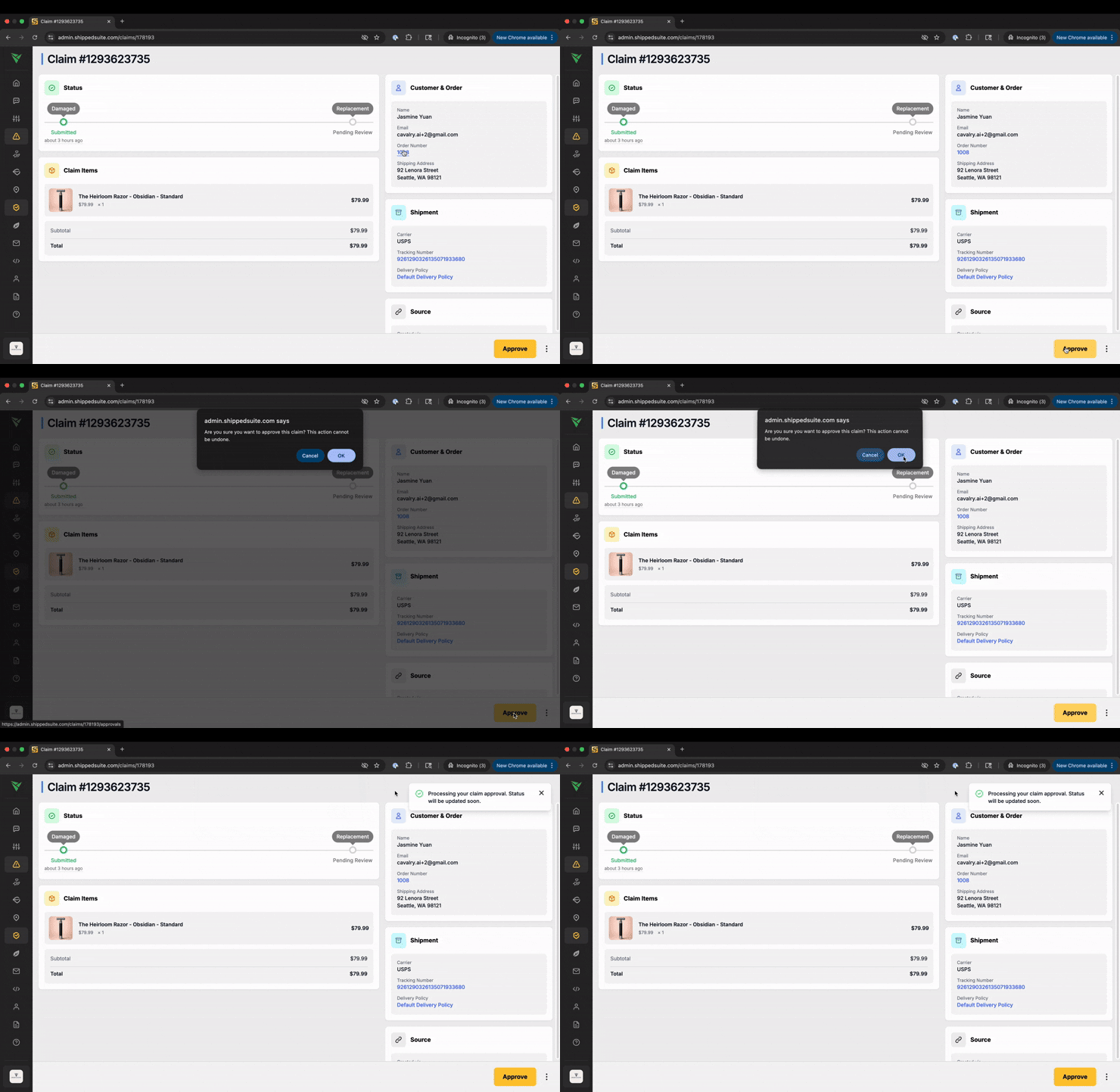
Open the claim from the Claims Dashboard
Review the claim details and evidence
Click Approve
Confirm the approval
The configured resolution will be processed automatically.
After Approval
Once approved:
The claim status updates to Approved
The Resolution section displays the final outcome
The claim is marked as completed
No further action is required.
If you need any assistance, please contact support@cavalry.ai.